What's New in 24R2.3
The Align 24R2.3 release includes brief, high-level descriptions of enhancements, new features, and more.
Announcements
Implementing the Common Data Architecture for Life Sciences
Starting in 24R2.0, Veeva is implementing the Common Data Architecture for Life Sciences (CDA.LS or CDA) in both Vault CRM and Vault CRM Align. The Align 24R2.0 release supports data model updates to the account__aln and address__v objects. Due to the updates to existing field names, customers must review their custom content (including reports, sharing rules, layouts, and other custom code) to see if the content needs to be updated to use the new field names. See Veeva CDA for more information. See Data Model Updates for the Common Data Architecture for Life Sciences for a list of data model changes.
Features
Integrated Territory Feedback
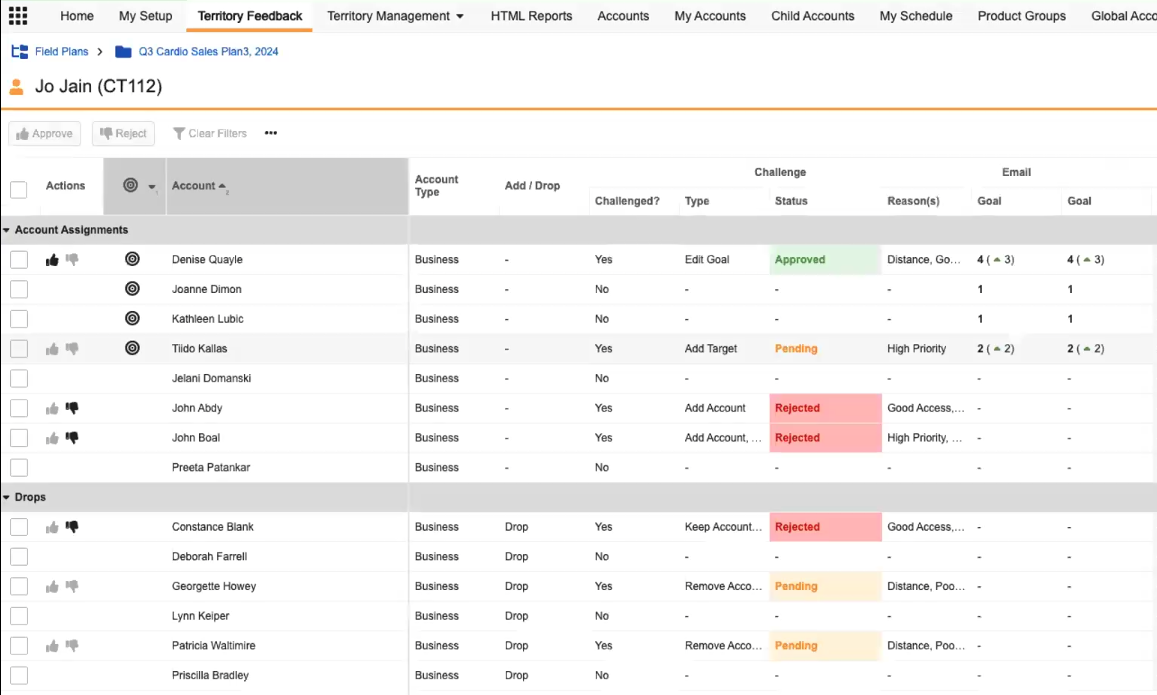
Creating Challenges in Manager Feedback
Managers using Manager feedback to review changes can also create challenges to further refine targets and assignments.
User Management
Align admins can add and remove Vault CRM users from Engage and Engage Connect groups directly in Align. This enables admins working with Align-mastered roster members to manage their users’ group memberships without needing to use both Vault CRM and Align. Managing license membership from Align also ensures users have their Engage licenses automatically revoked when they are inactivated from Vault CRM, so they can be reused for new employees.
User Visible and Behavior Changes
Integrated Territory Feedback
|
Description |
Before |
After |
|---|---|---|
|
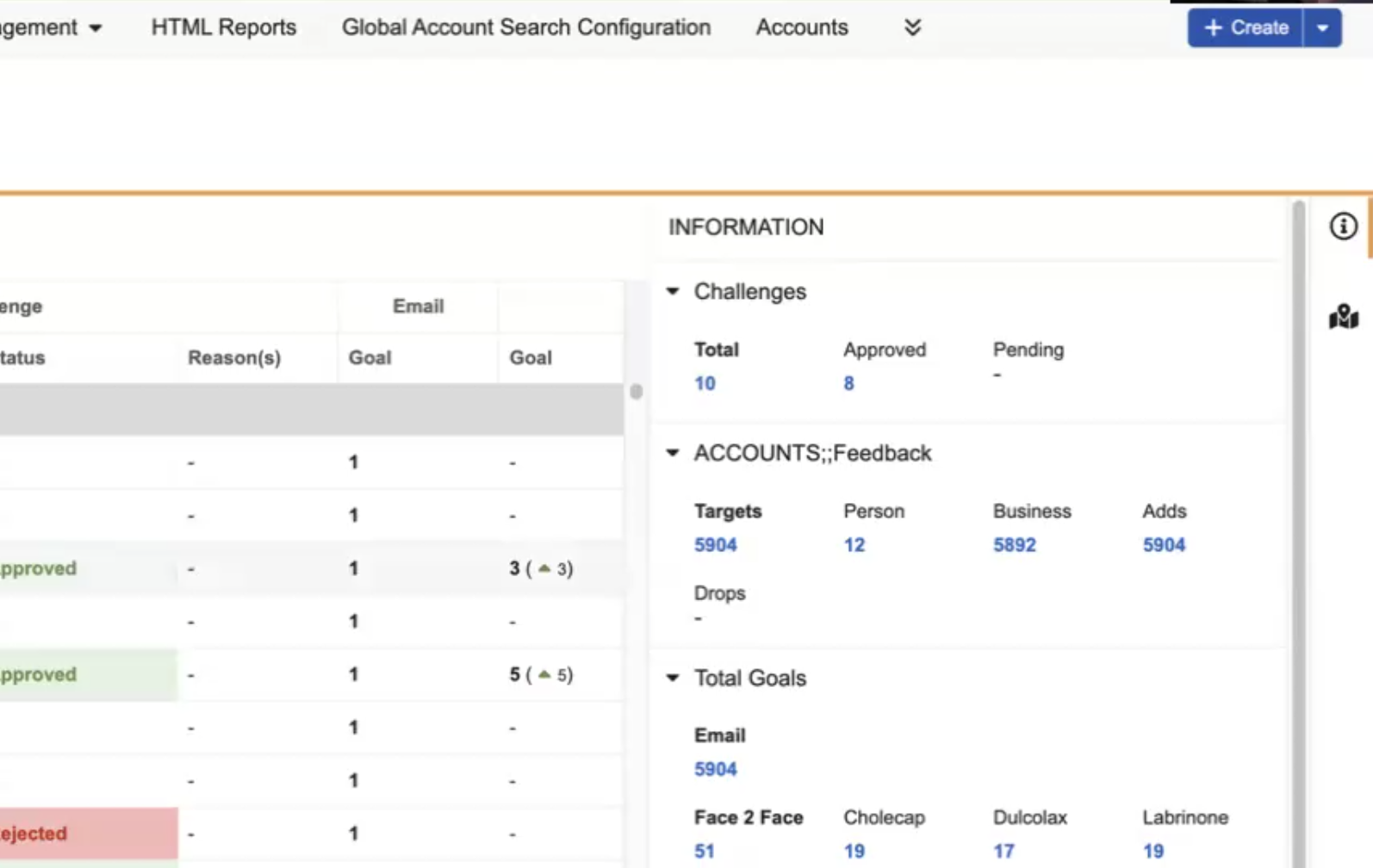
The Info Panel toolbar, including links to display challenge information and geography changes, now additionally displays on the Accounts Screen in Manager Feedback. Select a link within the Info panel to filter the Accounts table appropriately, for example, filtering to only display pending challenges, or filtering to only display targets with Email goals. |
|
|